> ## Documentation Index
> Fetch the complete documentation index at: https://docs.getdecipher.com/llms.txt
> Use this file to discover all available pages before exploring further.
# Integrating Decipher with Sentry
> If you're already using Sentry, setting up Decipher AI is a 1-line change and you'll still be able to use Sentry.
**⏱ Estimated Time To Completion: 2 minutes**
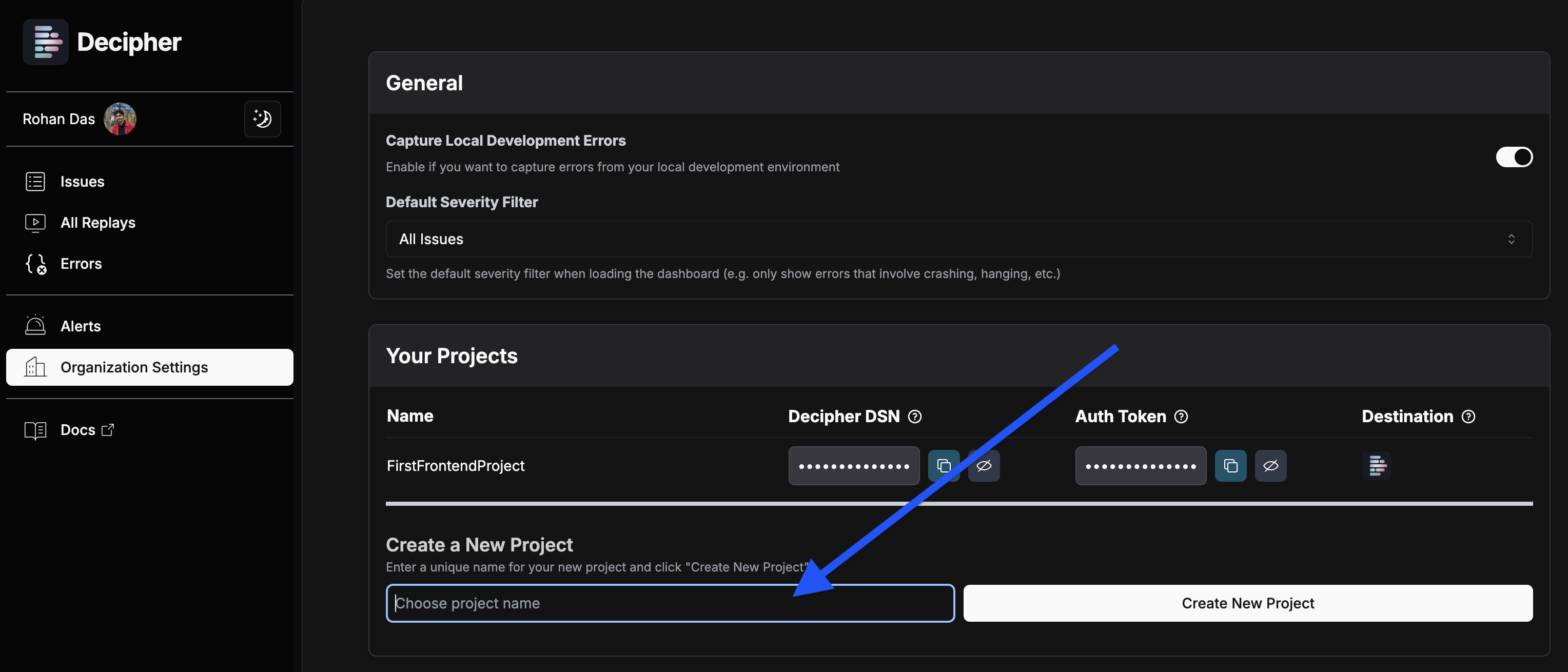
Log in to [Decipher](https://app.getdecipher.com) with your work email. On the [Settings > Projects](https://app.getdecipher.com/settings?section=projects) page, choose a project name and click **"Create New Project"**.
We auto-create a Decipher-only project called "FirstFrontendProject" when your organization registers with Decipher, but that is separate from the Sentry project you're about to add.
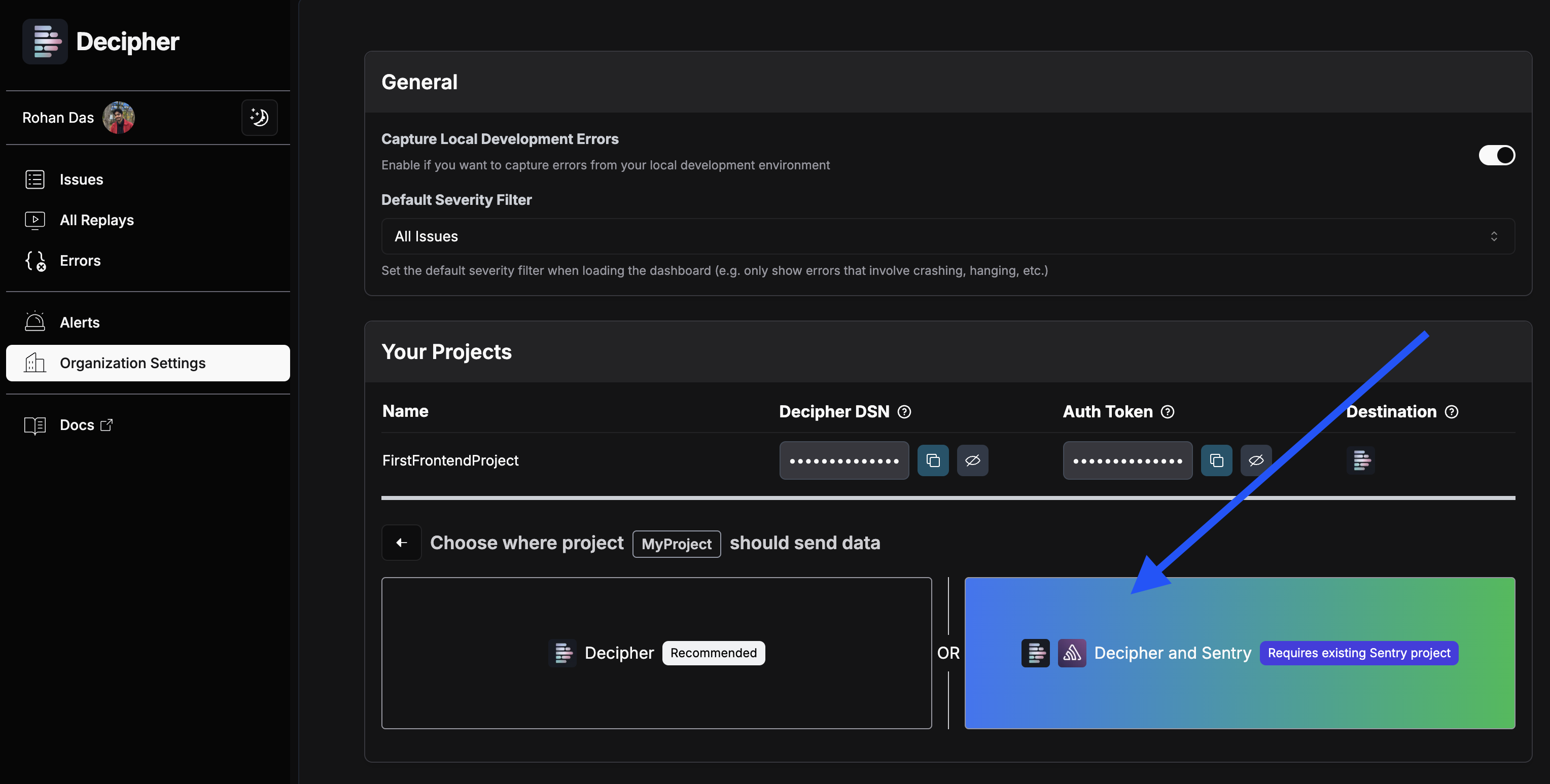
 On the following screen, decide where you want to send data. We recommend choosing **Decipher** only to avoid double charges.
Sending data only to Decipher is the recommended option for many as it:
* Avoids duplicate charges from multiple providers
* Provides all the functionality you need in one place
* Simplifies your monitoring footprint
On the following screen, decide where you want to send data. We recommend choosing **Decipher** only to avoid double charges.
Sending data only to Decipher is the recommended option for many as it:
* Avoids duplicate charges from multiple providers
* Provides all the functionality you need in one place
* Simplifies your monitoring footprint
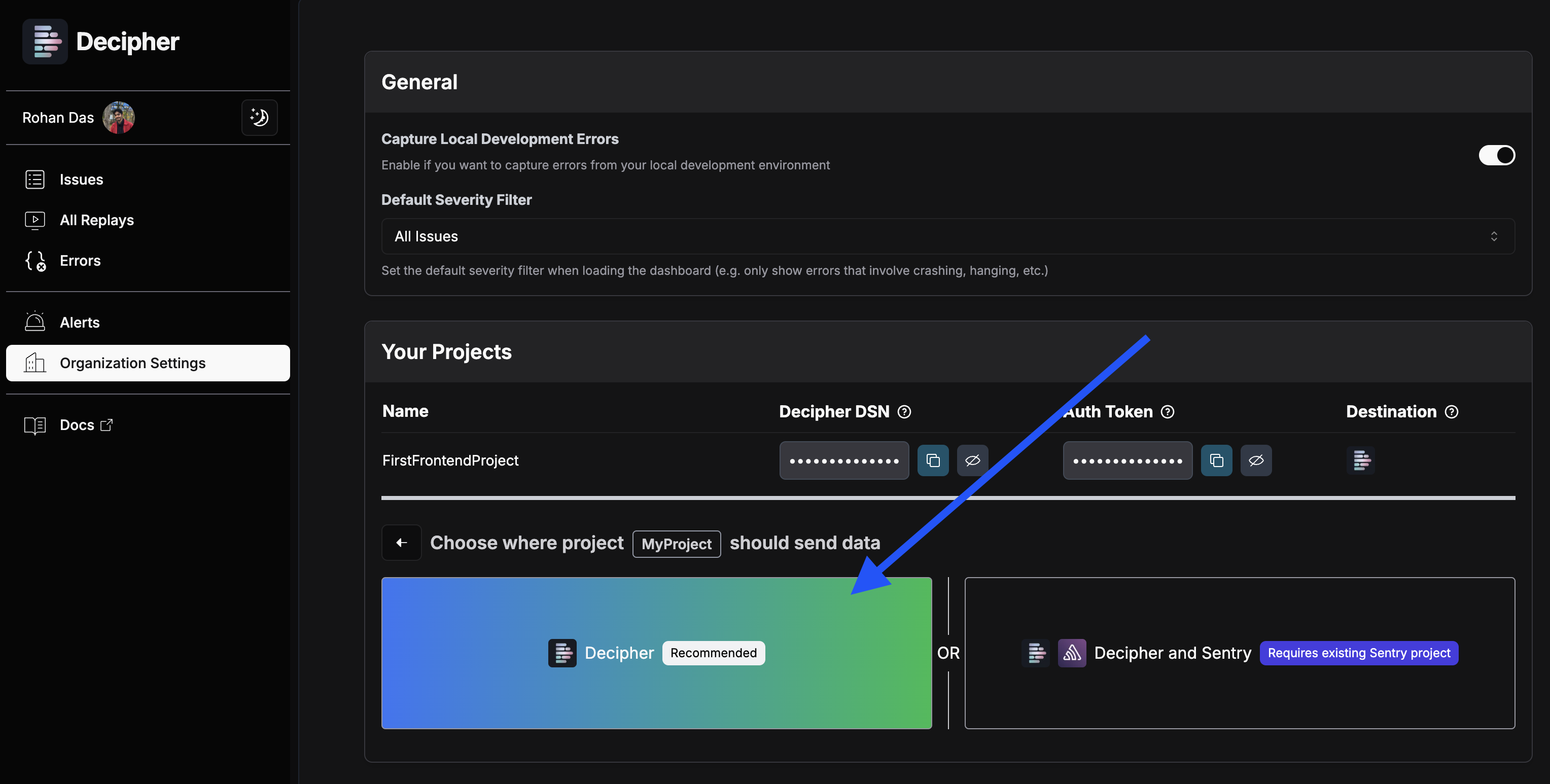 Decipher will give you a new `dsn` to copy and paste in the following step.
Sending data to both Decipher and Sentry requires your existing Sentry DSN and may result in charges from both services.
To get your existing Sentry DSN, look for the value of the `dsn` parameter in your codebase's call to `Sentry.init`.
Decipher will give you a new `dsn` to copy and paste in the following step.
Sending data to both Decipher and Sentry requires your existing Sentry DSN and may result in charges from both services.
To get your existing Sentry DSN, look for the value of the `dsn` parameter in your codebase's call to `Sentry.init`.
 On the next screen, enter your Sentry DSN. Then click "Add this project".
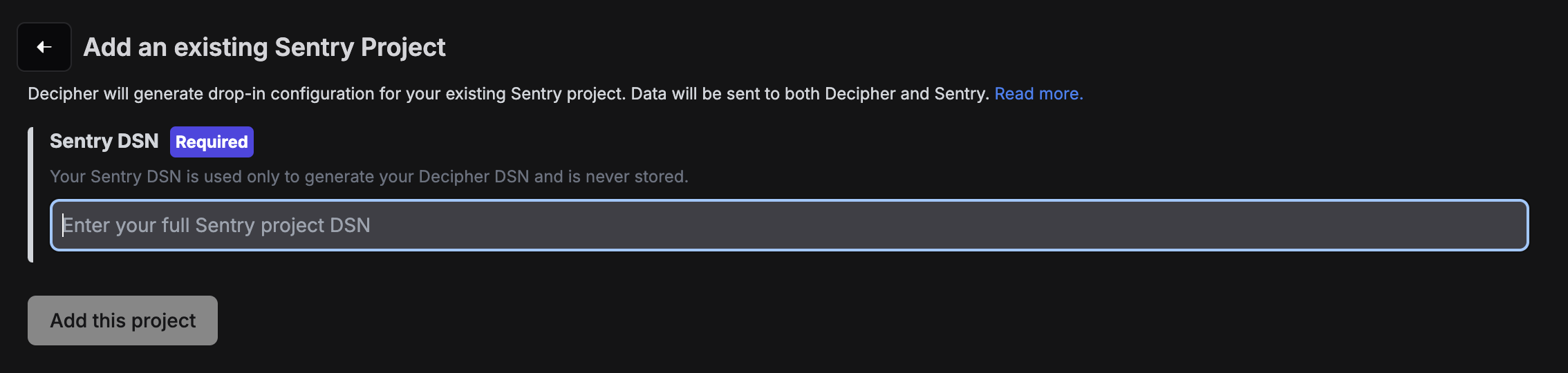 Your Sentry DSN is only used to compute your Decipher DSN which you'll use in the next step, and while your Sentry DSN is [public](https://docs.sentry.io/concepts/key-terms/dsn-explainer/#dsn-utilization), Decipher never stores it.
Decipher will create a new project with a dedicated new DSN for you.
Using this new DSN will result in data being sent to both Decipher and Sentry.
Update your `instrumentation-client.ts` to use your new `dsn` and **`make sure replayIntegration and replaysSessionSampleRate are set`**.
Additionally, update `sentry.edge.config.ts`, and `sentry.server.config.ts` files to use your new `dsn`.
On older `@sentry/nextjs` versions update your `sentry.client.config.ts` instead of `instrumentation-client.ts`.
```typescript instrumentation-client.ts | sentry.client.config.ts theme={null}
Sentry.init({
dsn: "YOUR_DSN_FROM_DECIPHER", // Get this at https://app.getdecipher.com/settings?section=projects
integrations: [
Sentry.replayIntegration({
maskAllText: false,
blockAllMedia: false,
maskAllInputs: true,
networkDetailAllowUrls: [/^.*$/],
}),
// You can optionally specify log levels (see further docs)
Sentry.captureConsoleIntegration(),
Sentry.browserTracingIntegration(),
],
replaysOnErrorSampleRate: 1.0,
replaysSessionSampleRate: 1.0,
});
```
```typescript instrumentation.ts | sentry.[edge|server].config.ts theme={null}
// Update DSN in both sentry.edge.config.ts and sentry.server.config.ts.
Sentry.init({
dsn: "YOUR_DSN_FROM_STEP_1", // Get this at https://app.getdecipher.com/settings?section=projects
// ...other config
});
```
In your codebase, update the line that sets the `dsn` field of your existing Sentry initialization to use the new value you got from Step 1, and ensure that `replayIntegration` and `replaysSessionSampleRate` are set.
For example:
```typescript theme={null}
Sentry.init({
dsn: "YOUR_DSN_FROM_DECIPHER", // Get this at https://app.getdecipher.com/settings?section=projects
integrations: [
Sentry.replayIntegration({
maskAllText: false,
blockAllMedia: false,
maskAllInputs: true,
networkDetailAllowUrls: [/^.*$/],
}),
// You can optionally specify log levels (see further docs)
Sentry.captureConsoleIntegration(),
Sentry.browserTracingIntegration(),
],
replaysOnErrorSampleRate: 1.0,
replaysSessionSampleRate: 1.0,
});
```
If you aren't already doing this, make sure to identify users **where user information is available in your application frontend**, typically after authentication or login.
```typescript theme={null}
// Set user information in Decipher via the Sentry TypeScript SDK
Sentry.setUser({
"email": "jane.doe@example.com", // Recommended identifier to set
"id": "your_internal_unique_identifier", // Optional: use if email not available
"username": "unique_username", // Optional: use if email not available
"account": "AcmeCo", // Recommended: Which account/organization is this user a member of?
"created_at": "2025-04-01T15:30:00Z", // Recommended: date this user signed up.
// You can add more user information here as key/value pairs.
});
```
Once you're done, simply use your website to validate that Decipher is collecting session replay data (and that Sentry is too, if you selected that option).
Your Sentry DSN is only used to compute your Decipher DSN which you'll use in the next step, and while your Sentry DSN is [public](https://docs.sentry.io/concepts/key-terms/dsn-explainer/#dsn-utilization), Decipher never stores it.
Decipher will create a new project with a dedicated new DSN for you.
Using this new DSN will result in data being sent to both Decipher and Sentry.
Update your `instrumentation-client.ts` to use your new `dsn` and **`make sure replayIntegration and replaysSessionSampleRate are set`**.
Additionally, update `sentry.edge.config.ts`, and `sentry.server.config.ts` files to use your new `dsn`.
On older `@sentry/nextjs` versions update your `sentry.client.config.ts` instead of `instrumentation-client.ts`.
```typescript instrumentation-client.ts | sentry.client.config.ts theme={null}
Sentry.init({
dsn: "YOUR_DSN_FROM_DECIPHER", // Get this at https://app.getdecipher.com/settings?section=projects
integrations: [
Sentry.replayIntegration({
maskAllText: false,
blockAllMedia: false,
maskAllInputs: true,
networkDetailAllowUrls: [/^.*$/],
}),
// You can optionally specify log levels (see further docs)
Sentry.captureConsoleIntegration(),
Sentry.browserTracingIntegration(),
],
replaysOnErrorSampleRate: 1.0,
replaysSessionSampleRate: 1.0,
});
```
```typescript instrumentation.ts | sentry.[edge|server].config.ts theme={null}
// Update DSN in both sentry.edge.config.ts and sentry.server.config.ts.
Sentry.init({
dsn: "YOUR_DSN_FROM_STEP_1", // Get this at https://app.getdecipher.com/settings?section=projects
// ...other config
});
```
In your codebase, update the line that sets the `dsn` field of your existing Sentry initialization to use the new value you got from Step 1, and ensure that `replayIntegration` and `replaysSessionSampleRate` are set.
For example:
```typescript theme={null}
Sentry.init({
dsn: "YOUR_DSN_FROM_DECIPHER", // Get this at https://app.getdecipher.com/settings?section=projects
integrations: [
Sentry.replayIntegration({
maskAllText: false,
blockAllMedia: false,
maskAllInputs: true,
networkDetailAllowUrls: [/^.*$/],
}),
// You can optionally specify log levels (see further docs)
Sentry.captureConsoleIntegration(),
Sentry.browserTracingIntegration(),
],
replaysOnErrorSampleRate: 1.0,
replaysSessionSampleRate: 1.0,
});
```
If you aren't already doing this, make sure to identify users **where user information is available in your application frontend**, typically after authentication or login.
```typescript theme={null}
// Set user information in Decipher via the Sentry TypeScript SDK
Sentry.setUser({
"email": "jane.doe@example.com", // Recommended identifier to set
"id": "your_internal_unique_identifier", // Optional: use if email not available
"username": "unique_username", // Optional: use if email not available
"account": "AcmeCo", // Recommended: Which account/organization is this user a member of?
"created_at": "2025-04-01T15:30:00Z", // Recommended: date this user signed up.
// You can add more user information here as key/value pairs.
});
```
Once you're done, simply use your website to validate that Decipher is collecting session replay data (and that Sentry is too, if you selected that option).